Table of Contents
Prices in this guide are approximate and change often. Check with the hotel, airline or operator before you book.
Why Most Beach Photos Look the Same
Beach photography should be easy — you're working with dramatic natural scenery, good light, and vibrant colors. Yet most people come home with hundreds of photos that look identical: centered horizon, blue sky, blue water, strip of sand. The images are pleasant but forgettable. They could be from any beach on any continent. The difference between a snapshot and a photograph that makes people stop scrolling is technique — and beach photography has specific techniques that most people never learn because they assume pointing a camera at a pretty view is enough.
The good news: you don't need expensive equipment. A modern smartphone camera (iPhone 13+, Samsung Galaxy S21+, or equivalent) produces images that rival entry-level DSLRs for beach photography. What you need is an understanding of light, composition, and timing — all of which are free.
Light: The Single Most Important Factor
Golden Hour
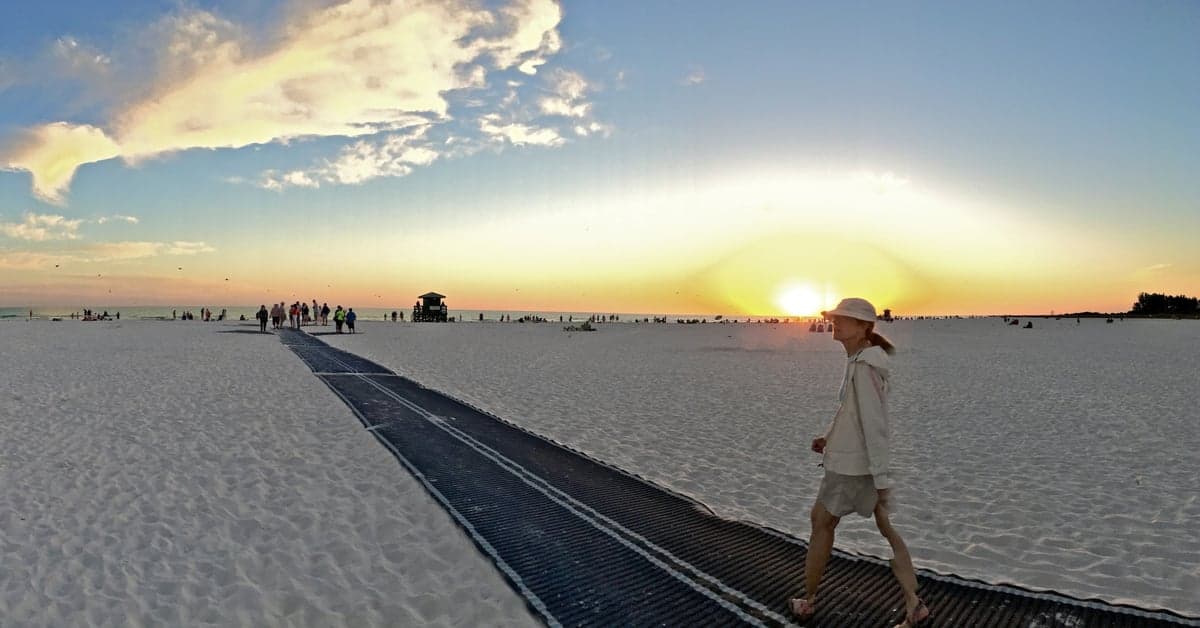
The hour after sunrise and the hour before sunset produce warm, directional light that transforms beach scenes from flat to dimensional. Sand glows golden. Water catches reflections. Clouds turn pink and orange. Shadows create depth on dunes and rocks. This is when professional landscape photographers shoot, and the reason is physics — low-angle sunlight passes through more atmosphere, filtering out blue light and producing warmer tones. Midday light (10 AM to 3 PM) produces harsh shadows, washed-out skies, and a flat, uninteresting quality that no filter can fix.
Blue Hour
The 20-30 minutes before sunrise and after sunset produce a cool, even blue light that's remarkable for beach photography. The sky holds color while the beach goes dark, and any lights (lighthouses, resort buildings, bonfires) gain visual prominence against the blue background. On a phone camera, blue hour shots require holding the camera steady (prop it against a rock or use a mini tripod) because the low light demands longer exposure times.
Overcast Days
Clouds act as a giant diffuser, producing soft, even light with no harsh shadows. Overcast days are excellent for photographing people on the beach (no squinting, no shadow under the nose) and for capturing water texture. The sky will be white and uninteresting, so compose your shots to minimize sky — focus on the water, sand, and any foreground elements.
Composition: Beyond Center and Click
The Rule of Thirds
Enable the grid overlay on your phone camera (Settings > Camera > Grid on iPhone). Place the horizon on the top or bottom grid line — never in the center. If the sky is dramatic (sunset clouds, storm approaching), give it two-thirds of the frame. If the water or sand has interesting patterns, give the foreground two-thirds. Centering the horizon creates a static, passive image. Off-center horizons create movement and visual interest.
Leading Lines
Beaches are full of natural leading lines — the waterline where waves meet sand, the curve of a bay, a row of rocks extending into the water, tire tracks in the sand, the line of foam left by a receding wave. Use these lines to guide the viewer's eye into the frame. A leading line that starts in the lower corner and extends to the horizon creates depth that a flat, straight-on composition lacks.
Foreground Interest
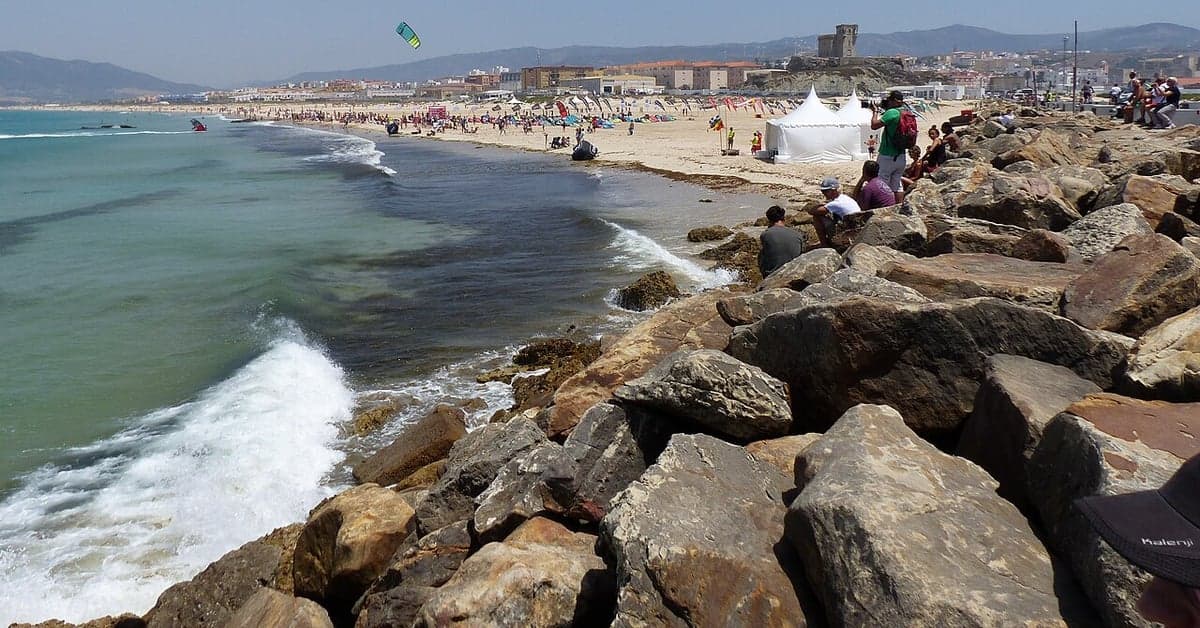
The most common mistake in beach photography is shooting from standing height with nothing in the foreground. Get low — kneel or even lie on the sand — and include a foreground element: a seashell, a rock, a tide pool, a piece of driftwood, a footprint. This foreground element anchors the composition and creates a sense of depth. The viewer's eye travels from the foreground object through the midground (beach) to the background (ocean and sky). Without foreground interest, a beach photo is a flat plane of color.
Negative Space
Sometimes the emptiness is the subject. A lone person walking on a vast empty beach. A single boat on a calm ocean. A clean line where wet sand meets dry sand, with nothing else in the frame. Negative space — large areas of uniform color or texture — creates a feeling of peace and scale that busy compositions can't achieve. Beach environments are naturally suited to negative space photography because the ocean, sky, and sand provide clean, uncluttered backgrounds.
Water Techniques
Long Exposure (Silky Water)
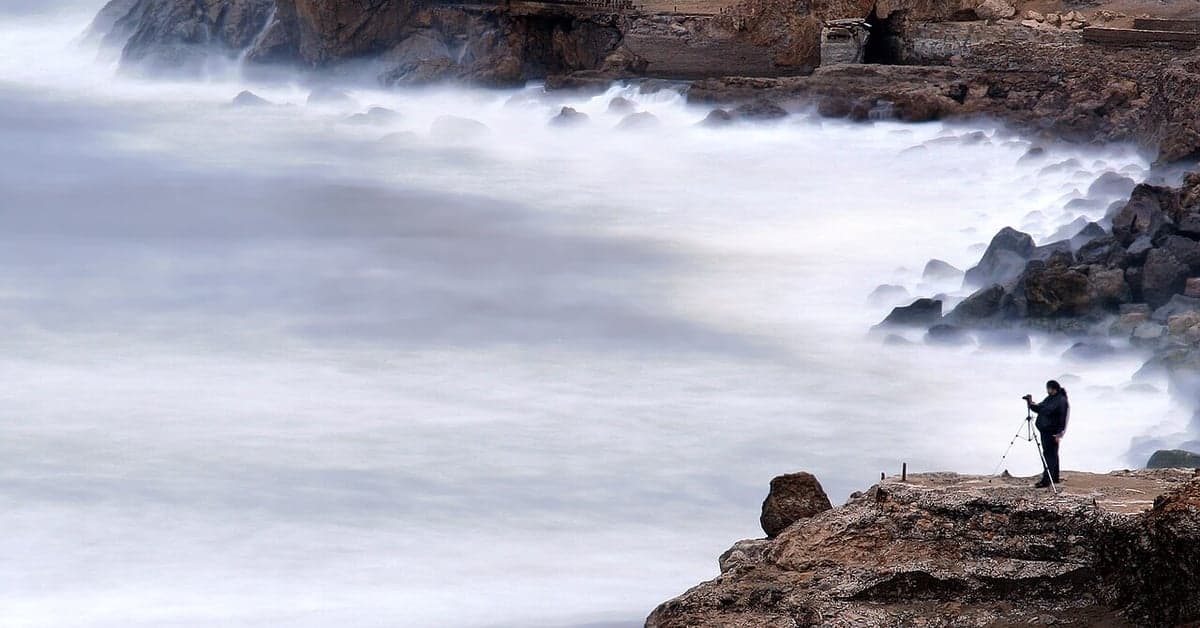
The ethereal, silky-smooth water effect you see in professional beach photos requires a long exposure — the shutter stays open for 1-30 seconds while the water moves, blurring the motion into a smooth texture. On a DSLR or mirrorless camera, this requires a tripod and a neutral density (ND) filter to reduce light. On a smartphone, apps like Slow Shutter Cam (iOS) or Camera FV-5 (Android) simulate long exposure by stacking multiple frames. Prop the phone on a stable surface — a rock, a bag of sand, a mini tripod ($10-20) — and set a 2-5 second exposure time. The waves will blur into milky streaks while the rocks and shoreline remain sharp.
Wave Timing
Waves create a rhythm. A wave rolls in, reaches its highest point on the sand, pauses, then recedes. The pause at maximum reach — when foam and water spread across wet sand like liquid glass — is the moment to capture. The receding wave, pulling thin sheets of water back over sand, creates mirror-like reflections. Stand where the water reaches and shoot down or at a low angle to capture these reflections. Time your shots to the wave rhythm rather than shooting randomly.
Underwater and Half-and-Half Shots
A waterproof phone pouch or a dedicated underwater housing ($15-40) lets you shoot at the waterline — half above, half below the surface. These split-level shots reveal both the beach scene above and the underwater world below in a single frame. The technique: hold the camera at the water surface with the lens half submerged. Shoot in clear, calm water for best results. The water acts as a natural split-screen. A waterproof phone pouch rated to IPX8 is sufficient for surface-level shots.
People on the Beach
Silhouettes
The easiest and most dramatic way to photograph people on a beach: shoot toward the sun during golden hour with people between you and the light. The camera exposes for the bright sky, turning the people into dark silhouettes against a colorful background. Silhouettes work because they remove facial detail and reduce people to shapes — a surfer carrying a board, a couple walking hand-in-hand, a child running through shallow water. The anonymity makes the image universal rather than a specific portrait.
Candid Moments
Posed photos on the beach rarely look natural. Candid shots — someone reading a book under a palm tree, a child building a sandcastle with focused intensity, a surfer waxing a board — tell stories. The key is patience: frame the scene, wait for the moment, then shoot. Take multiple frames rather than one. The best candid beach photos have natural light (golden hour or open shade), an interesting background (not a parking lot), and a subject engaged in an activity rather than looking at the camera.
Editing: Restrained Enhancement
What to Adjust
Most beach photos benefit from three adjustments: slightly increase contrast (beach scenes tend toward flat), boost warmth slightly (counteracts the blue cast from sky and water), and increase clarity/texture (brings out sand patterns and water detail). On Lightroom Mobile (free), Snapseed (free), or the default phone photo editor, these three adjustments take 30 seconds and significantly improve the image.
What Not to Do
Over-saturating colors is the most common editing mistake in beach photography. The temptation to crank the blue sky to electric blue and the sand to radioactive gold produces images that look artificial and garish. If the colors look more intense on screen than they did in person, you've gone too far. Pull saturation back 10-15% from where it "looks good" to you — the result will be more accurate and age better. Heavy vignettes, HDR effects, and filter presets that alter the fundamental color palette should be avoided. The beach is already dramatic — the editing should enhance, not replace, reality.
Gear Recommendations
For Phone Photography
Waterproof phone pouch ($8-15): enables waterline and light-rain shooting. Mini tripod with phone mount ($10-25): essential for golden hour, blue hour, and long exposure. Polarizing clip-on filter ($10-20): reduces water glare and deepens sky color, the single most useful filter for beach photography. Lens cleaning cloth: salt spray and sand are constant threats to lens clarity — wipe the lens before every shot. Check B&H Photo for phone photography accessories.
For Camera Photography
A weather-sealed mirrorless or DSLR body handles salt air and sand better than consumer-grade cameras. A wide-angle lens (16-35mm or equivalent) is the primary beach photography lens — it captures sweeping coastlines and dramatic skies while allowing close foreground elements. A polarizing filter ($30-80) is as essential on a camera as on a phone. A sturdy tripod (not a flimsy travel tripod) survives wind and uneven sand. Protect gear from sand and salt: use lens caps when not shooting, carry a microfiber cloth, and never change lenses on a windy beach.
Frequently Asked Questions
What time of day is best for beach photography?
Golden hour — the hour after sunrise and before sunset — produces warm, directional light that transforms beach scenes. Blue hour (20-30 minutes before sunrise/after sunset) creates cool, even tones excellent for mood shots. Midday (10 AM-3 PM) produces harsh shadows and washed-out colors that are difficult to work with.
Do I need a professional camera for beach photography?
No. Modern smartphones (iPhone 13+, Samsung Galaxy S21+) produce excellent beach photos. The key factors are light timing, composition, and technique rather than equipment. A $10 waterproof pouch and a $15 mini tripod are the most useful accessories for phone beach photography.
How do you get the silky water effect in beach photos?
Use a long exposure (1-30 seconds) with the camera on a stable surface. On phones, apps like Slow Shutter Cam simulate this by stacking frames — set 2-5 second exposure with the phone propped on a rock or mini tripod. On cameras, use a tripod plus neutral density filter to allow long exposures in daylight.
How do you protect camera gear at the beach?
Use lens caps when not shooting, carry a microfiber cleaning cloth for salt spray, never change camera lenses on a windy beach, and store gear in a sealed bag when not in use. For phones, a waterproof pouch protects against splashes and sand. Weather-sealed camera bodies handle salt air better than consumer models.
What is the biggest mistake in beach photography?
Centering the horizon with nothing in the foreground. This produces flat, forgettable images that could be from any beach. Use the rule of thirds (horizon on the top or bottom grid line), get low to include foreground elements (shells, rocks, tide pools), and shoot during golden hour rather than midday.
How should I edit beach photos?
Three adjustments improve most beach photos: slightly increase contrast, boost warmth slightly, and increase clarity/texture. Avoid over-saturating colors — if the sky looks more blue on screen than it did in person, pull saturation back. Free apps like Lightroom Mobile and Snapseed handle these adjustments in 30 seconds.